

The Importance of Internal Linking for SEO can honestly make or break how your website does in Google. If you’ve been running a site for any amount of time, you probably know the feeling: you write a post, hit publish, wait a little, check your analytics… and see basically nothing. Or, even worse, nothing at all.
What makes it extra frustrating is when you know the content is solid. You’ve read what competitors are putting out, compared it to your own stuff, and thought, “Wait… mine’s way better than this.” And yet, Google barely seems to care.
A lot of people immediately start thinking they need better keywords, longer posts, more backlinks. Sure, that’s sometimes true. But honestly, most of the time the real problem is way simpler — and kind of boring if you’re looking for a “quick fix.”
Your site just isn’t easy for Google to figure out.
Not because it looks bad, not because it’s ugly or anything. It’s because structurally, it’s a bit of a mess. Pages aren’t linked properly. Important posts are buried somewhere deep. Older posts never point to newer ones. When Google crawls it, it’s basically like, “Okay… so which pages are the important ones again?”
This is exactly where internal linking comes in. It’s not flashy. It doesn’t feel like you’re actually doing something when you add links. But it quietly fixes a ton of problems at once. Done right, it helps Google understand your site, keeps visitors clicking around, and can even make your old posts perform better — all without having to write a single new article.
In this guide, we’re going to go over what internal linking actually is, why it’s ridiculously important for SEO, and how tools like ClickRank can make managing it way less of a headache.
What Exactly Are Internal Links?
Internal links are links that go from one page on your website to another page on the same website.

That’s it. That’s the whole thing.
If your homepage links to a blog post, that’s an internal link. If one blog post links to another blog post, also an internal link. If a category page links to individual posts, internal links again.
They’re basically how pages on your site talk to each other.
Without internal links, your site is just a bunch of pages sitting next to each other with no real connection. Google can still crawl it, technically, but it doesn’t really understand it.
There are two types you’ll see everywhere.
Navigational Links
These are the obvious ones. Menu links. Header links. Footer links. The stuff people click without thinking.
Home. Blog. About. Services.
They’re not exciting, but they matter more than people think. If navigation is confusing or shallow, everything else suffers.
Contextual Links
These are the links inside your content. The ones you add while explaining something.
You’re writing about internal linking and you mention site structure, so you link to a post about site structure. That kind of thing.
These links carry a lot of meaning. They show relationships. They tell Google what pages are related and why.
When they’re done naturally, users barely notice them. They just feel helpful.
Why Internal Links Are So Important
Internal links aren’t just “nice to have.” They actually solve several SEO problems at once.
1. They Give Your Site Shape
- Search engines don’t want chaos. They want patterns.
- When your pages link to each other in a logical way, Google can figure out what your site is actually about. Not just page by page, but overall.
- A lot of sites accidentally use topic clusters without realizing it. One main page, several supporting pages, all linked together. That structure helps Google trust your site on that topic.
- Without internal links, everything feels flat. No hierarchy. No priorities.
2. They Let You Share Authority
- When one of your pages gets backlinks, that authority mostly stays on that page unless you move it.
- Internal links are how you move it.
- If you have one post that already ranks or gets traffic, linking from it to another page can help that other page perform better. This is especially useful for newer content that hasn’t gained traction yet.
- It’s one of the few SEO levers you actually control completely.
3. They Keep People on the Site
- Most people don’t leave because they hate your content. They leave because there’s nowhere obvious to go next.
- Internal links give them a next step. Another article. A deeper explanation. Something related.
- That’s how you turn one-page visits into actual browsing.
4. They Help Google Find Pages
- Google discovers pages by following links. If a page has no internal links pointing to it, Google might never see it.
- Those are called orphan pages. Almost every site has them.
- Internal linking fixes that by making sure every page is connected to something else.
Also Read: Is WordPress Still Relevant in 2026 (An Honest Opinion)
How to Build a Smart Internal Linking Strategy
You don’t need to over-engineer this. You just need to stop doing it randomly.
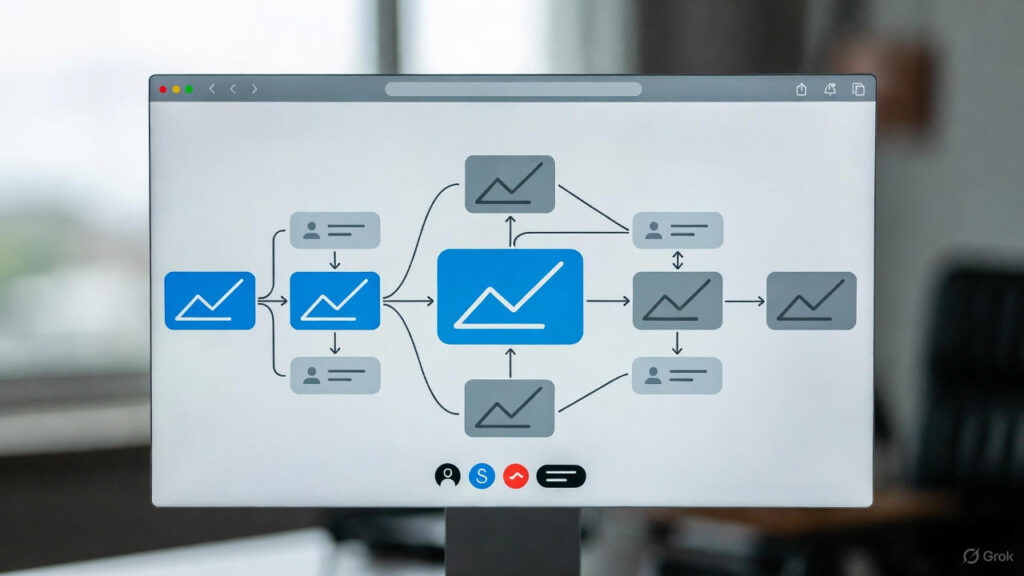
Step 1: Think About Structure First
An easy way to picture it is a pyramid.
- Top is your homepage.
Below that are your main categories or topics.
Below that are individual posts or pages. - Your homepage links to important sections. Sections link to posts. Posts link back up and sideways to related content.
- If someone lands anywhere on the site, they should be able to move around without feeling stuck.
Step 2: Connect Old and New Content
- Every time you publish something new, go back to older posts and add links where it makes sense. Don’t rely on the new post to magically rank on its own.
- Also, if you have posts that already perform well, use them. Let them link to newer or weaker pages.
- This alone can change how your site performs over time.
Step 3: Don’t Obsess Over Anchor Text
- Anchor text is just the clickable part of a link.
- You don’t need to keyword-stuff it. You don’t need to make it perfect. Just make it clear.
- If a human understands where the link goes, Google probably will too.
Step 4: Stop Forcing Links
- If a link feels awkward, don’t add it. Internal links should feel natural.
- There’s no perfect number. Anyone giving exact numbers is guessing.
Managing Internal Links Without the Hassle
This is where people usually give up.

If You’re Using WordPress
WordPress makes it easy to add links, but it doesn’t help you manage them at scale. Once your site grows, things get messy fast.
SEO tools help you see what’s broken, what’s missing, and what could be improved.
If You’re Using HTML
An internal link looks like this:
<a href="https://www.yourwebsite.com/your-page/">Anchor Text Here</a>
That’s fine for small sites. For bigger ones, it gets old quickly. This is where automation tools like ClickRank save a lot of time.
Do Link Audits Sometimes
- You don’t need to check every week. Just occasionally.
- Broken links, orphan pages, outdated URLs — they pile up without you noticing.
Common Internal Linking Problems (and How to Fix Them)
Broken Links
- Pages get deleted. URLs change. Links break.
- They’re bad for users and bad for SEO. Fix them, redirect them, or use a tool that handles them automatically.
Orphan Pages
If nothing links to a page, it might as well not exist. Find them and connect them to relevant content.
Too Many Links
- More links don’t equal better SEO. At some point it just becomes noise.
- If a page looks overwhelming, it probably is.
Internal vs. External Links: What’s the Difference?
- Internal links stay inside your site.
External links go to other sites. - Both matter, but internal links are the foundation. They’re the part you control completely, and the part most people ignore.
- If your content isn’t doing well, don’t assume you need to write more. Sometimes the fix is just connecting what’s already there so it actually makes sense.